Cyberpunk Multiplayer: How the NightCoop Co-op Mod Works
- Developer
- NightCoop
- Platforms
- PC — Windows 10 or 11, 64-bit, Licensed copy of Cyberpunk 2077 (Steam, GOG, or Epic)
- Release status
- Early Access
- Category
- Action
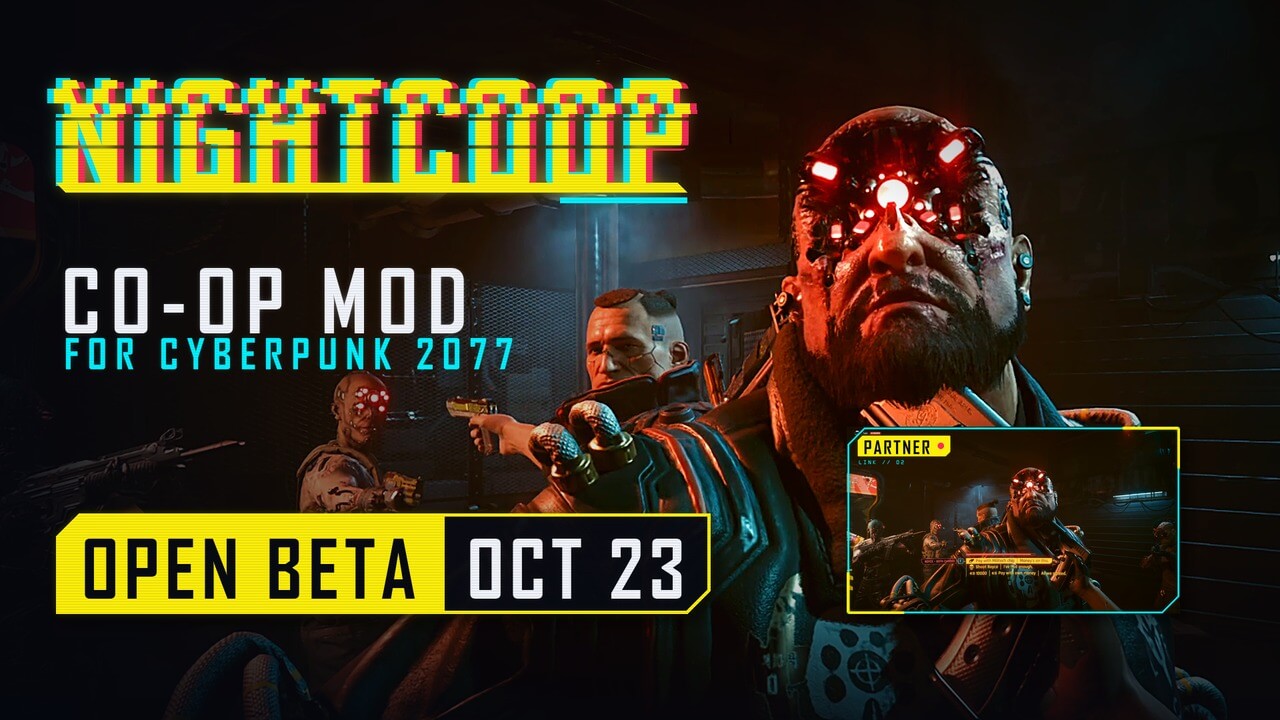
Play the Cyberpunk 2077 campaign together — NightCoop open beta: up to 8 players, story choices by vote, PvP on the host's switch.
Looking for Cyberpunk multiplayer? There is only one way to play Cyberpunk 2077 together today, and it is mods. The newest one, NightCoop, just opened to everyone: an open beta that lets up to 8 players share one Night City, play the entire campaign as a group, vote on story choices, and — if the host feels like it — turn player-versus-player combat on with a single menu switch. It is free, it runs on a normal licensed copy of the game on PC, and everything here is based on the developer’s official pages. This guide explains how the mod works, what your PC needs, and how to install it. A second Cyberpunk coop mod called CyberMP is also in beta, and it gets a short section too.
Gameplay
NightCoop turns the single-player campaign into a shared world without changing what Cyberpunk 2077 is. One player hosts. The session runs inside the host’s save file, so quest progress, NPC lives, and the state of the city belong to the host’s world — every guest drops into it as a visitor. Each player still controls their own V: your own appearance, level, gear, and cyberware travel with you, and shopping or visiting ripperdocs stays personal. Nobody else’s progress is written into your save; guests keep their own campaigns untouched.
Up to 8 players can share one session — the host plus seven guests.
Story choices by vote
Because eight people are playing one story, decisions need a rule. In NightCoop, a story choice passes when more than half of the players vote for it. Cutscenes play for everyone at the same moment, so nobody watches V’s conversation twice. The mod notes that quests sync by sequence rather than move by move: the story’s stages run in the same order for everyone, even if individual animations do not match frame for frame. The developer also states which parts of the game have been tested the most — Act 1, side quests included — while the rest can work with more chance of something breaking. Treat Act 1 as the reliable core of an open beta when you play cyberpunk multiplayer through the whole campaign.
Shared combat and host-tuned difficulty
Combat is shared: everyone sees the same enemies, the same shots, grenades, and deaths, and damage from any player counts. The host can raise the difficulty with a host-only option that gives enemies new skills instead of more health — grenades, blocks, smarter AI — so a bigger group does not simply flatten Night City.
PvP with one switch
The headline feature: the host can switch PvP on or off in the middle of a session. It is an item in the Co-op menu, and the toggle applies to everyone at once. When PvP is off, players cannot hurt each other. When it is on, they can — but the mod plays it fair. The attacker’s weapon, mods, perks, headshots, and crits all count, and so do the victim’s armor, resistances, block, and dodge. Damage is evened out between players of different levels, and no single hit takes you down from full health.
Losing a PvP fight is not losing your character: a beaten player goes down and gets back up — helped by a teammate or on their own — and a downed player cannot be finished off. Duels never roll back the world, and PvP gives no XP, loot, or wanted level — so turning it on cannot wreck the host’s save.
Cars, rides, and the network behind it
Groups can share one car as a driver plus passengers or take several vehicles, and the story’s driving sequences are played together — a Cyberpunk multiplayer road trip needs no extra setup. Sessions connect directly when possible or relay through a hub when routers do not cooperate (UDP 47800, self-hosting guide on GitHub). Every host–guest link is end-to-end encrypted, and the mod picks the nearest server by ping.
Controls
This is a PC mod, so “controls” means two things: the setup you do once, and the menus you touch every session. Everything below comes from the official install guide for this Cyberpunk multiplayer mod — it is documentation-based, not a hands-on walkthrough.
What you need before installing
- A licensed copy of Cyberpunk 2077 on Steam, GOG, or Epic.
- Windows 10 or 11, 64-bit. Other systems are not supported yet; Mac and Steam Deck are in development, according to the FAQ.
- Game version 2.5 or 2.31. One NightCoop build covers both, and each build names the game versions it runs on.
- Nothing else. RED4ext, the loader NightCoop depends on, ships inside the mod’s archive. Cyber Engine Tweaks is not needed at all: NightCoop is a native RED4ext plugin with no other dependencies.
- Phantom Liberty is optional. If a guest does not own the expansion, the mod offers the host a restart of the game without Phantom Liberty, with no files deleted.
Installing the NightCoop multiplayer mod, step by step
- Download the current build from the official Download page at nightcoop.net. Every released build stays there, and everyone in a session must run the same build — only versions with the same protocol number play together.
- Check the file. The Download page lists a SHA-256 checksum for each build; run Get-FileHash on the downloaded archive in PowerShell and compare before installing. If it does not match, the file is damaged or replaced — download it again.
- Unpack the whole archive into the game folder, replacing files. The archive carries the bin and red4ext folders, and RED4ext is already inside.
- Start the game. A Co-op entry appears in the main menu.
One safety tip from the official guide: before your first session, back up your saves folder at %USERPROFILE%\Saved Games\CD Projekt Red\Cyberpunk 2077.
Starting and joining a Cyberpunk multiplayer session
- Host: open Co-op in the main menu and choose Host a session, then pick an existing save or start a new game together. The world everyone plays in is this save.
- Guests: paste the host’s invite into Join by code. Each guest loads into the host’s world as their own V.
- PvP: the host flips the PvP item in the Co-op menu at any time during the session.
No accounts, no extra launchers, no matchmaker — the invite code is all it takes.
Where to play
Cyberpunk 2077 multiplayer is not a browser game, so this page is a guide rather than a playable game — the real place to play is your own PC, with the mod from its developer:
- Official website: nightcoop.net — how it plays, the FAQ, and the guides.
- Official download page: nightcoop.net/download.html — every released build with checksums.
- Self-hosted hub guide: github.com/Twenfys/nightcoop-hub.
- Bug reports and community: the official Discord linked from the site.
NightCoop is an unofficial fan modification. The site states plainly that it is not affiliated with or endorsed by CD PROJEKT RED, and that Cyberpunk 2077 is a trademark of CD PROJEKT S.A. Set expectations accordingly: an open-beta mod can break on untested parts of the game, and the developer says so directly.
One alternative worth knowing: CyberMP, another Cyberpunk 2077 multiplayer mod, is in a semi-open beta of its own at cyber.mp. Its focus is exploring Night City together and building your own server with unique features. We have not verified CyberMP’s install process in depth — check its official site first.
FAQ
Is there an official Cyberpunk 2077 multiplayer mode? As of this page’s last check in October 2026, the way to play Cyberpunk 2077 multiplayer is fan-made mods: NightCoop in an open beta, CyberMP in a semi-open beta. Both state that they are unofficial and not affiliated with CD PROJEKT RED.
Is the NightCoop mod free? Yes. Every build is released to everyone at once, the developer says it will stay free, and Patreon donations unlock nothing.
How many players does Cyberpunk multiplayer support with NightCoop? Up to 8 players in one session: the host and seven guests. Most of the developer’s own playtesting happened in groups of two or three.
Do I need Phantom Liberty to play? No. If a guest does not own the expansion, the mod offers the host to restart the game without Phantom Liberty, and no files get deleted in the process.
Do I need Cyber Engine Tweaks or other mod frameworks? No. NightCoop is a native RED4ext plugin, RED4ext comes inside its archive, and there are no other dependencies.
Will the mod affect my single-player saves? A guest’s own campaign is not rewritten — guests play in the host’s world, and progress there belongs to the host’s save. The FAQ still recommends a saves-folder backup first, which is good practice with any game mod.
Can I play Cyberpunk multiplayer on Mac or Steam Deck? Not yet. NightCoop runs on Windows 10 or 11, 64-bit, and the FAQ says other systems are in development.
Which game versions work with NightCoop? Game versions 2.5 and 2.31 are supported by one build, and every player in a session needs the same NightCoop build. Older released versions stay on the Download page, so your group can match versions if someone lags behind.
More multiplayer games on GameClick
If you want to play something with friends right now, in the browser and with no download, GameClick has a library of instant multiplayer games: deceive your friends in Among Us, drop into FPS battles in Kour.io, run egg-on-legs gunfights in Shell Shockers, blast rivals in Smash Karts, or duel robots in Mazean. And when your Cyberpunk 2077 group finally gets its NightCoop session running, the mod’s own Co-op menu is the only launcher you need.