Tap the buses, clear the parking jam, and match every passenger — playable right here, no download.
Bus Mania parking puzzle drops you into a parking lot where every vehicle is in a hurry and none of them can move until you say so. Buses queue up for passengers, cars block the exits, and the only way out is to tap each vehicle in exactly the right order. If you have been looking for a bus mania parking puzzle game you can start instantly, you are in the right place: the game runs right here on this page, free, in your browser, with no download and no account.
What Bus Mania: Parking Puzzle Is
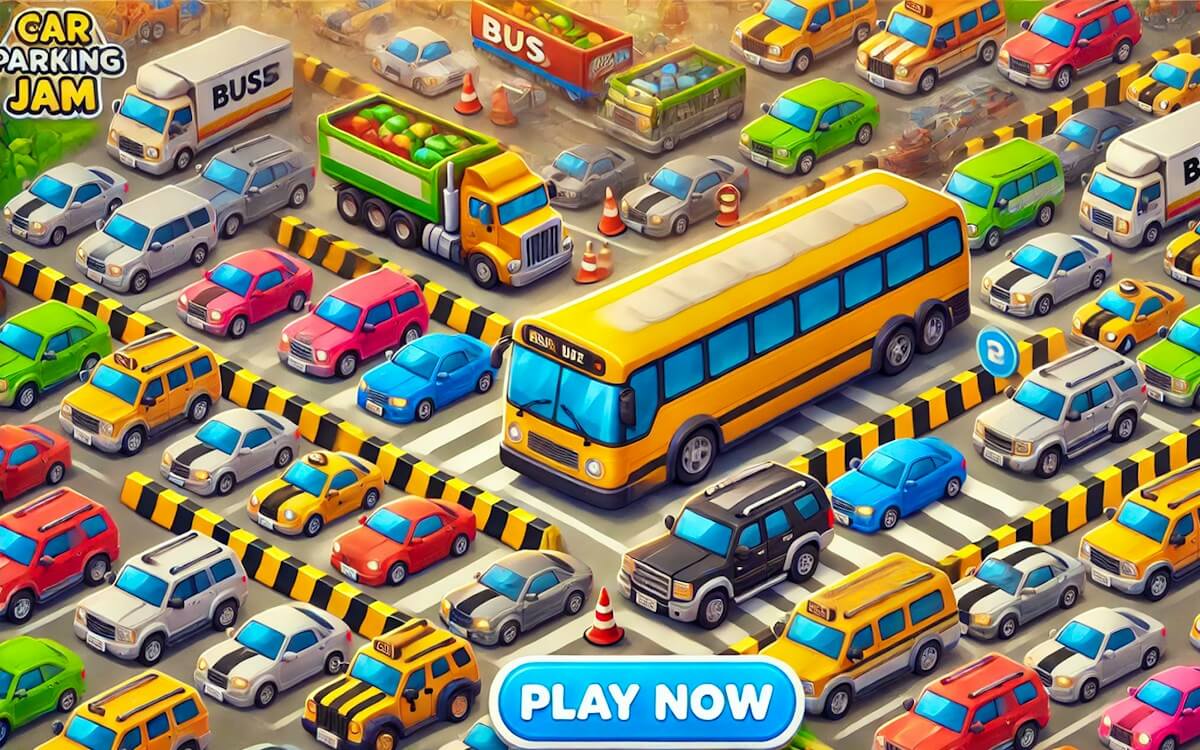
Bus Mania is a parking-jam puzzle. A crowd of passengers waits along the top of the screen while a small fleet of cars and buses sits bumper to bumper in the lot below. Every vehicle wears an arrow that shows the only direction it can drive. Your job is to tap the vehicles in an order that lets each one cruise out of the jam without getting stuck, collecting its matching passengers on the way.
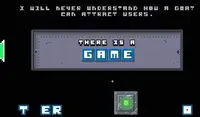
The game ships under a few names, which is worth knowing before you search for it again. GameMonetize lists it as Bus Mania: Parking Puzzle by developer Mobicore, GamePix lists the same game as Bus Mania - Car Parking Jam, and the in-game title screen simply reads Bus Jam. The description text on the GameMonetize listing even refers to the game as Bus Shift: Parking Jam — another label for the same listing. Same traffic jam, same tap-to-move rules — only the label changes.
The GamePix build of the game runs on Unity WebGL, which is what lets it start in a browser tab on both desktop and mobile without any install. GamePix lists the release date as April 15, 2025, with its latest update on October 2, 2025.
How the Parking-Jam Gameplay Works
The rules stay close to the classic parking-jam formula, with a passenger-matching twist on top:
- Vehicles only drive in the direction of their arrow. The tutorial states this outright, and every puzzle is built around it. A car facing the exit is useless until its lane is actually clear.
- Cars carry a maximum of 4 passengers. That cap comes straight from the in-game tutorial. Buses follow the same match rule: they only help once they collect the passengers who share their color.
- Passengers must match their vehicle. You are not just unclogging a lot; you are matching waiting riders with buses of the correct color, as the developer listing on GameMonetize describes it.
- The level ends when the counter hits zero. Each level starts with a set number of waiting passengers — Level 1 begins with 24 — shown as a “Left” counter. It ticks down as correctly loaded vehicles drive away.
- Order is everything. The listing tells you to plan your moves carefully, avoid blocking other vehicles, and find the right order to clear each traffic jam. Tap a blocked vehicle early and it simply noses into the crowd and stalls.
Levels become increasingly challenging as you go, with new layouts, obstacles and tricky situations layered on top of the same clean rules. There is no timer breathing down your neck: the puzzle is about reading the lot, not racing it.
Controls: Mouse on Desktop, Tap on Mobile
Controls could not be simpler, and that is the point:
- Desktop: use the left mouse button. Click a vehicle and it drives in the direction of its arrow if the way is clear.
- Mobile: tap a bus to move it in the direction shown by its arrow, and tap the UI buttons to interact with the game, as the listing’s own instructions put it.
The GamePix build accepts both input styles in the browser, and this page embeds that build, so the same link works whether you are at a desk or on a phone. The game supports portrait and landscape layouts; the player area here uses the portrait layout the level is designed around.
Tips for Clearing Every Parking Jam
You will not need a guide to play, but a few habits come straight from the rules and will save you restarts:
- Read the arrows first, then the traffic. Before your first tap, trace each vehicle’s arrow to its exit. Vehicles whose path is already open are almost always safe to send.
- Clear in chains, not in bursts. One departure usually frees the lane for the next, and a car only carries up to four passengers, so the queue typically needs several vehicles in a row. Look for the chain rather than tapping whatever moves.
- Feed the counter deliberately. The “Left” counter is your progress bar. If a vehicle’s passengers are deep in the queue, sending it early just parks it in the road.
- Never park in someone else’s exit lane. The one mistake the developer listing explicitly warns against is blocking other vehicles. A tap you cannot undo is worse than a tap you delay.
- When stuck, look at the front of the queue. The next passengers in line tell you which vehicle needs to leave next. Work backwards from them to find the vehicle that is actually free.
- Re-read before you tap again. A stuck lot is a reading problem, not a speed problem. Go back to the arrows, trace each one to its exit, and only then send the next vehicle.
Play Bus Mania Online Free — Right Here
You do not need to hunt through app stores or download anything. The embed on this page is the official GamePix distribution build of Bus Mania - Car Parking Jam, the same game listed as Bus Mania: Parking Puzzle on GameMonetize. Scroll to the play area at the top of this page, click or tap the game, and Level 1 starts in your browser.
A note for searchers comparing listings: because the game circulates under several names — Bus Mania: Parking Puzzle, Bus Mania - Car Parking Jam, and the in-game title Bus Jam — results for one name often lead to a differently named page for another. Everything you find on this page is the parking puzzle you are looking for, playable free with no download, and it stays on this URL.
FAQ
Is Bus Mania: Parking Puzzle free to play? Yes. It is a free online browser game on both GamePix and GameMonetize, and the version embedded on this page is free to play with no download.
Does Bus Mania need a download or install? No. The GamePix build runs on Unity WebGL inside your browser tab, so you play straight from the page on desktop or mobile.
Can I play Bus Mania on my phone? Yes. The GamePix listing covers browser play on desktop and mobile, and the touch controls are the same idea as the mouse: tap a vehicle and it follows its arrow.
How do the controls work? On desktop you use the left mouse button; on mobile you tap. Vehicles only ever drive in the direction of their arrow, so every input is a single click or tap on the vehicle you want to move.
How many passengers can a car pick up? The in-game tutorial gives the number: cars can occupy a maximum of 4 people. Every vehicle follows the same tap-to-move rule, so the real puzzle is boarding passengers in an order that never blocks a lane.
What is the goal of each level? Clear the parking jam: match waiting passengers with the correct vehicles, send every vehicle out along its arrow, and bring the “Left” passenger counter down to zero. Level 1 starts with 24 waiting passengers.
Who made Bus Mania? GameMonetize lists Bus Mania: Parking Puzzle by developer Mobicore; the same game is distributed on GamePix as Bus Mania - Car Parking Jam, which is the build embedded here.
Why do some pages call it Bus Jam or Car Parking Jam? The game circulates under several labels: the in-game title screen reads “Bus Jam”, GamePix lists it as Bus Mania - Car Parking Jam, and the description text on GameMonetize’s listing refers to Bus Shift: Parking Jam. They all describe the same tap-to-clear parking puzzle.
More Parking and Driving Games on GameClick
If the jam-clearing loop is your thing, these games on GameClick scratch the same itch:
- Parking Fury — slide cars into tight spots without a scratch.
- Traffic Speed Racer — weave through highway traffic instead of untangling it.
- Space Bus 3D — bus duty, but the passengers are floating in orbit.
- Drive Mad 3 — physics driving levels where the obstacle is the car itself.